Configuring the Add Attachment Button
An Add Attachment button can be added to the menu so that the user can add an attachment without having to scroll to the attachment grid of Gen5 form. This feature can be enabled by replacing the Menu Control in the header section of Detail form with the Menu Control from under the Controls section of Forms Designer. This feature is applicable to Gen5 step forms accessed through the Other Tasks menu control. This feature is not applicable to non-persistent forms accessed through the Other Action menu control.
- From the Administrator Tools tab from the SmartSolve Portal Page, click Designer > Forms Designer.
- From the top menu, select Form > Open to open the form.
- Delete the Menu Control from the top of the form.
- Expand the Controls section on the left side of the Forms Designer.
- Drag and drop the Menu Control from the Controls section to the form.
Result: The Add Attachment button has been added to the form. The form must be published before the changes will be visible in the form.
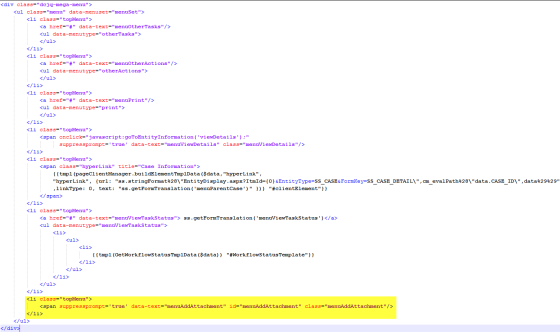
NOTE: If the existing Menu Control has configurations such as view task status, print, etc., then it is advisable to manually add the changes needed to expose the Add Attachment button. Otherwise, existing configurations that are not out of the box may be lost. The list item should be configured as follows: